

Opening balances describe your position on the day before you started in OneBooks. Enter them once, dated correctly, and every report from day one is right. There are three kinds, each entered in a different place.
Customer and supplier balances
Section titled “Customer and supplier balances”Enter these per customer and per supplier, never as one lump sum: each becomes a real unpaid document, so future payments settle it and the aging reports are correct.
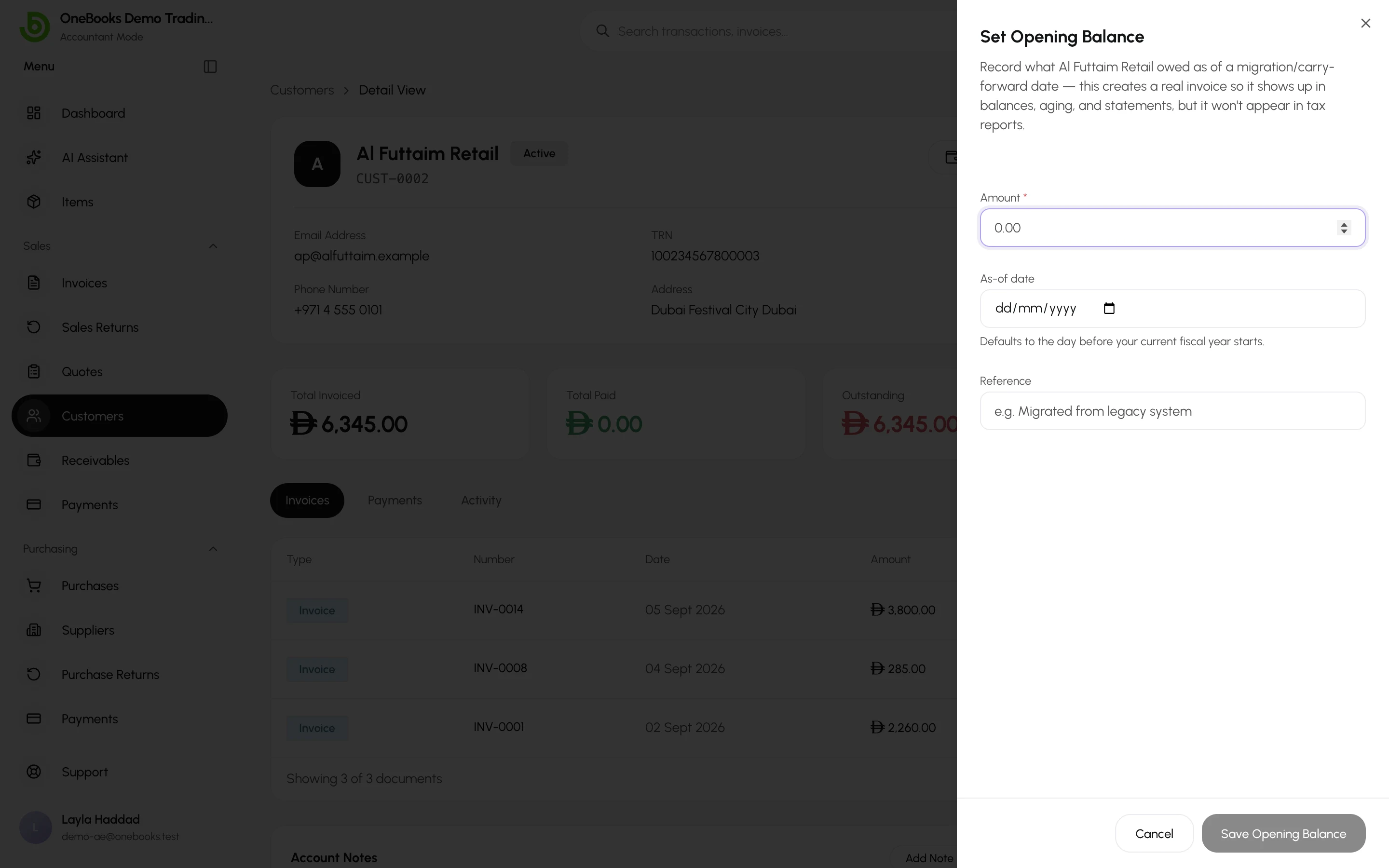
- Open the customer (or supplier) page and select Opening Balance.
- Enter the amount owed and a reference (for example “Migrated from spreadsheet”). The date defaults to the day before your fiscal year started.
- Select Save.
To load many at once, use the Opening balances import with the customer or supplier code on each row — see Import and export.
Bank, cash, assets, loans and capital
Section titled “Bank, cash, assets, loans and capital”Enter these on the account in the chart of accounts.
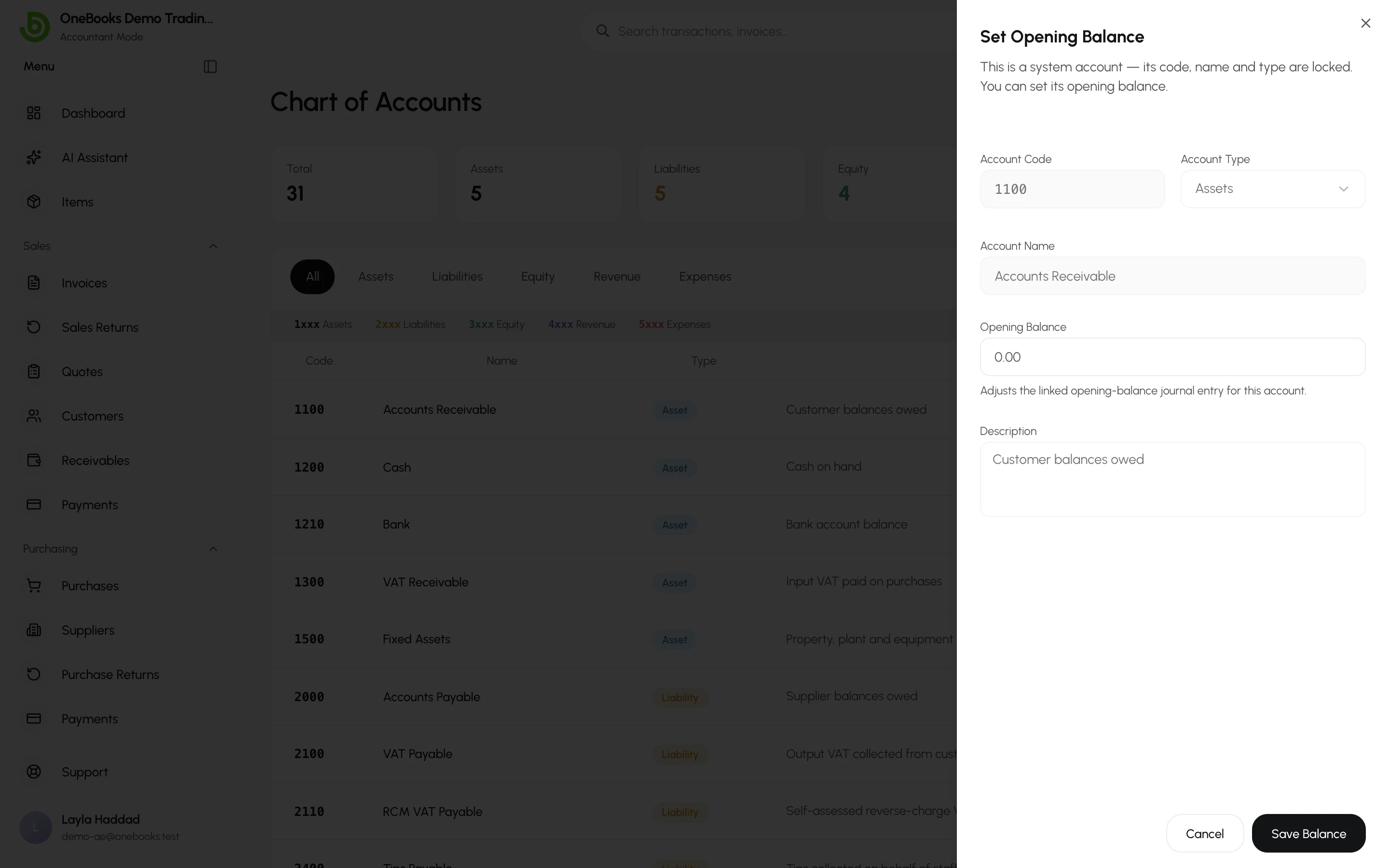
- Open Accounting → Chart of Accounts and select Set opening balance on the account (or enter it when creating the account).
- Enter the balance and save.
Only balance-sheet accounts (assets, liabilities, equity) accept opening balances. Income and expenses of the current year up to your start date are not opening balances — enter them as a dated manual journal entry instead, so they appear on the profit and loss.
Checking the result
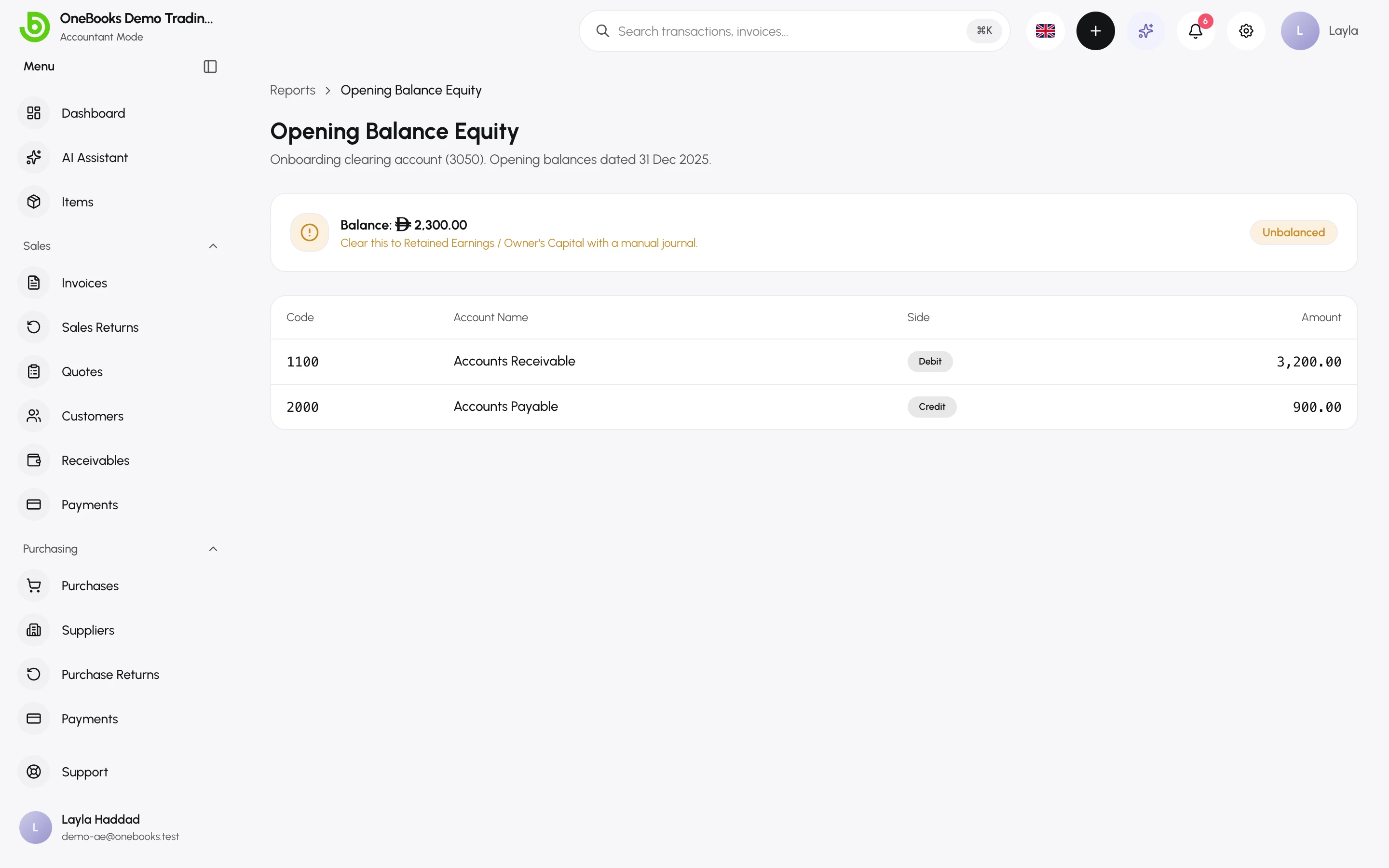
Section titled “Checking the result”Reports → Opening balance equity shows every opening-balance posting and the balancing figure in 3050 Opening Balance Equity. Once all balances are in, that figure equals your opening equity (net assets); transfer it to 3000 Owner’s Capital with a manual entry if your accountant prefers.
Dating rules
Section titled “Dating rules”- The default date is the day before the current fiscal year starts, so opening balances sit in the opening position of every report rather than in the period’s activity.
- Opening balances may be dated before your business’s first financial year in OneBooks — the only entries that may go back that far.
- Re-entering an opening balance on the same customer, supplier or account replaces the previous one (the old posting is reversed).