

Reports groups your financial statements, receivables and payables, tax reports and — for Indian businesses — GST filings. Every report is computed the moment you open it from the journal lines in your ledger; nothing is cached, so a report for last month gives the same answer today as it did then.
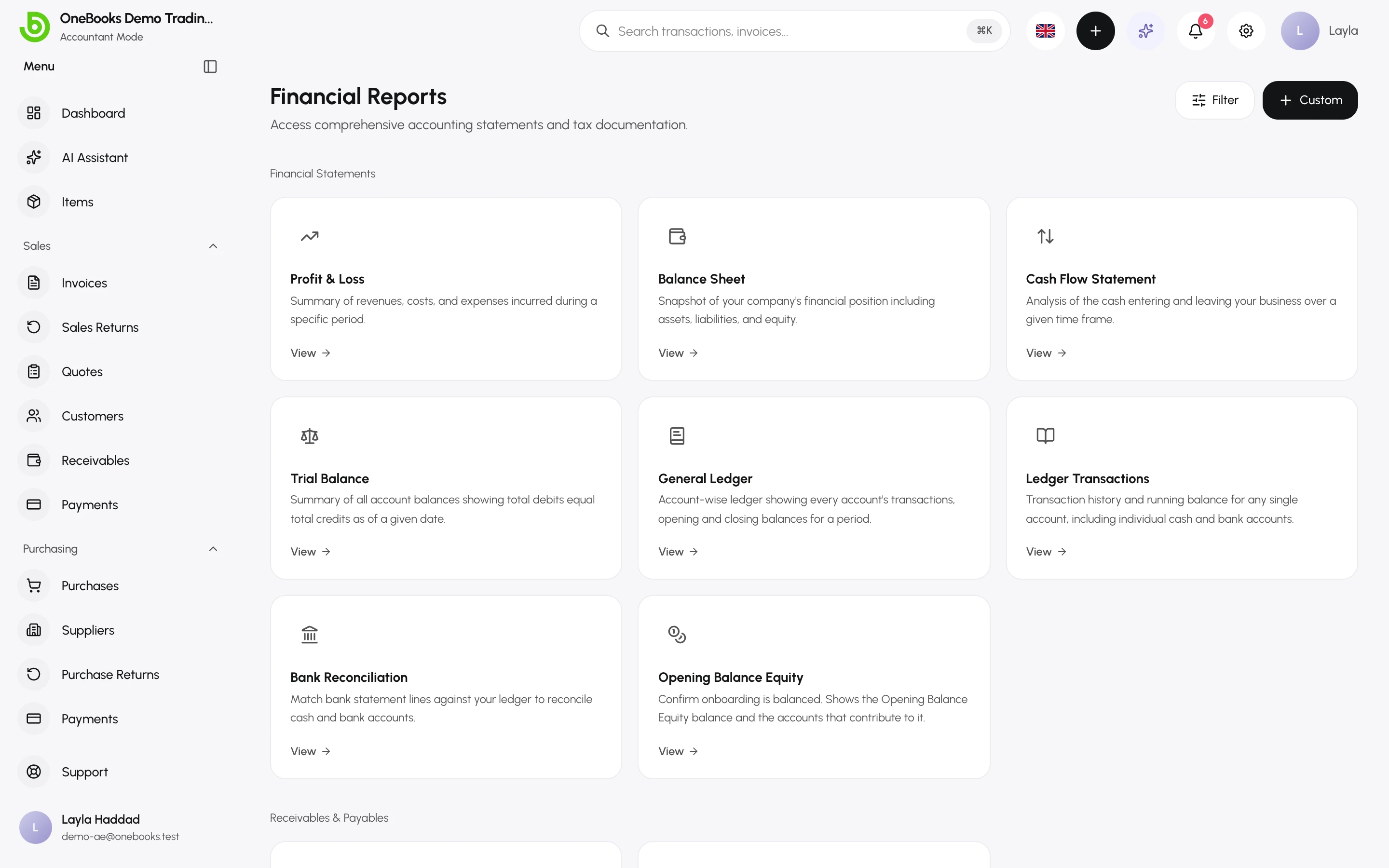
Which report answers what
Section titled “Which report answers what”| Question | Report |
|---|---|
| Did we make money this month, quarter or year? | Profit and loss |
| What do we own and owe right now? | Balance sheet |
| Where did the cash go? | Cash flow |
| Do the books balance? (accountants) | Trial balance |
| Show me every posting on an account | General ledger and account ledger |
| Who owes us, and whom do we owe, by age? | Receivables and payables aging |
| How much tax do we owe or reclaim? | Tax report and tax summary |
| Are we on track against the plan for the year? | Budget vs actual |
| India: prepare GSTR-1 and GSTR-3B | India |
Periods and dates
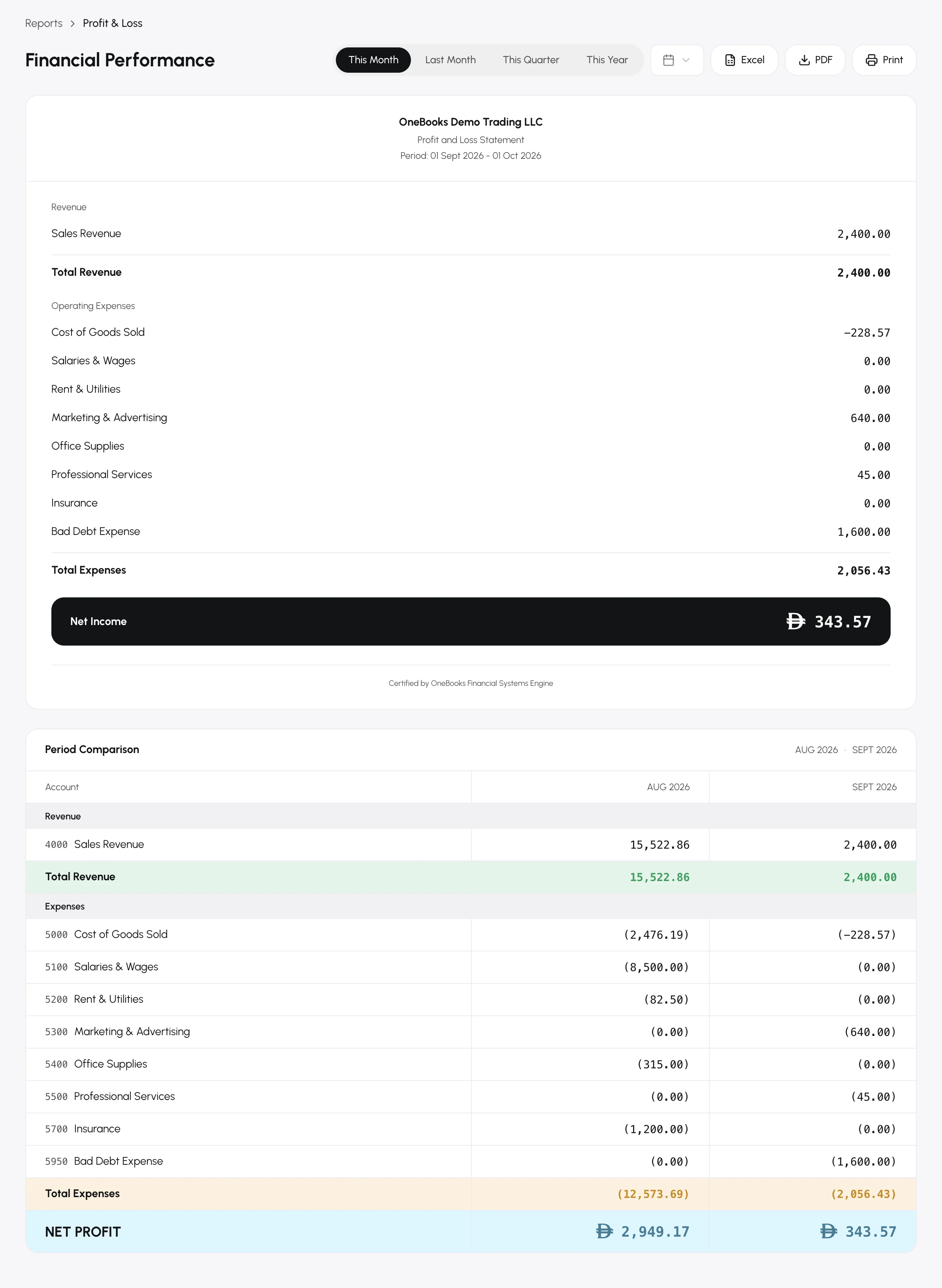
Section titled “Periods and dates”- Period reports (profit and loss, cash flow, ledgers, tax) use a period switcher: this month, quarter (Q1 2026), year to date (YTD 2026) or a custom range. Periods follow your fiscal year start.
- Point-in-time reports (balance sheet, trial balance) take an as of date.
- All dates are calendar days in UTC; a document dated today is included today.
Simple mode names
Section titled “Simple mode names”In Simple mode the same reports carry plainer names — Financial Performance for profit and loss, Financial Position for the balance sheet, Cash Movement for cash flow — and the accountant-only reports (trial balance, ledgers) are hidden.
Export
Section titled “Export”Every statement exports to PDF (with your company details and the period) and Excel. See Exporting and printing reports.