

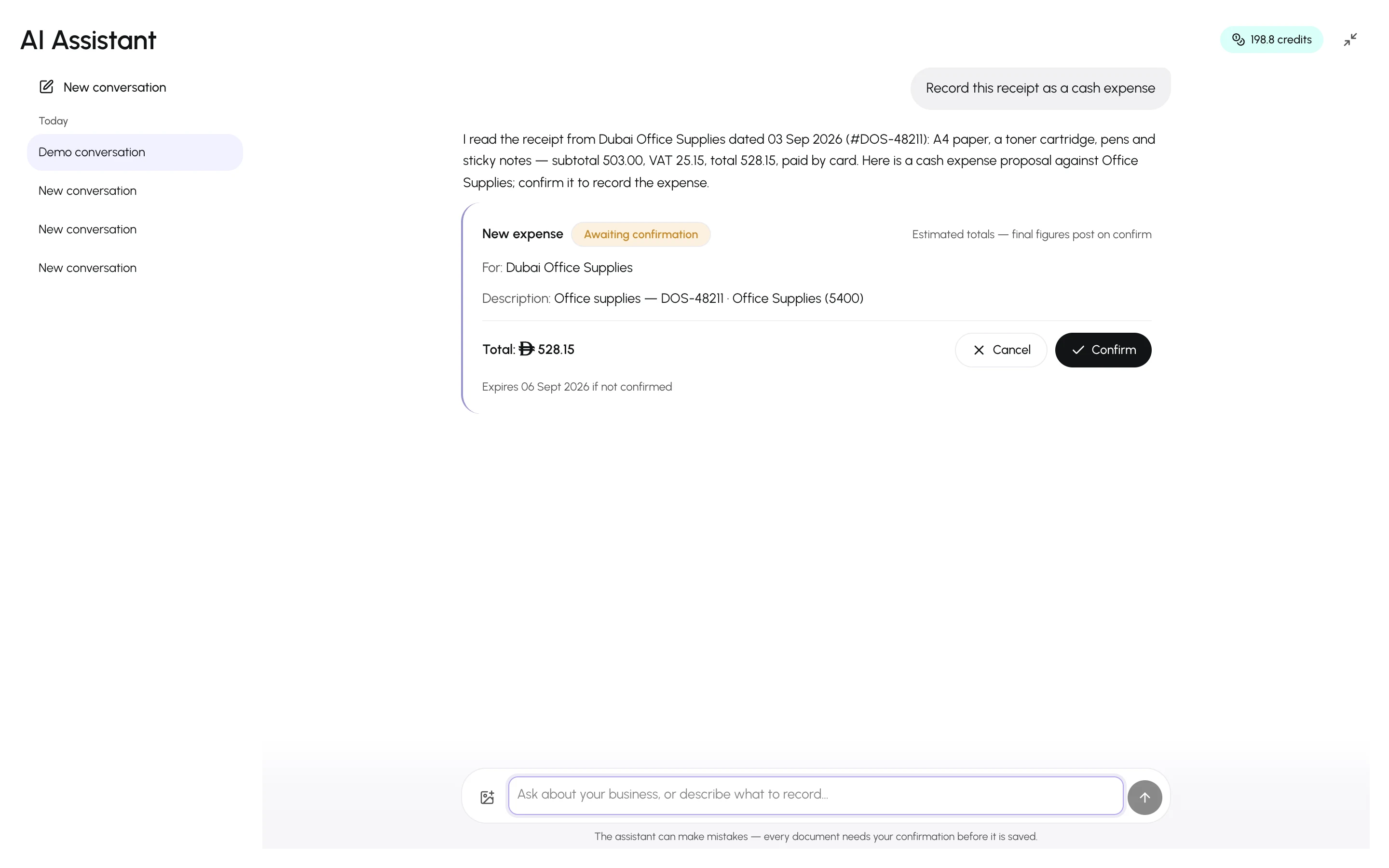
Instead of typing a receipt, photograph it. The assistant reads the date, the supplier, the line amounts and the tax exactly as printed and proposes the document for you to confirm.
- In the composer, select Attach a receipt image and pick up to 4 images (PNG, JPEG or WebP; 10 MB each).
- Optionally add an instruction — “record as a cash expense”, “this is a supplier bill, pay later”.
- Send. The assistant shows what it read and a proposal card.
- Check the amounts against the paper and press Confirm.
What it reads
Section titled “What it reads”- Date, supplier name, individual lines with quantities and prices, subtotal, tax and total.
- It copies amounts verbatim — it never rounds or “corrects” a receipt. If the currency looks different from your business currency or a field is unreadable, it asks.
Where the image goes
Section titled “Where the image goes”The image is stored as an attachment of the conversation and stays there, so you can scroll back to the original later. It is visible only to the member who started the conversation.