

Saudi Arabia: VAT and ZATCA e-invoicing
Applies to businesses whose country is Saudi Arabia. OneBooks issues ZATCA (Fatoora) Phase 2 e-invoices: every tax invoice and credit note is signed, given a QR code and submitted to ZATCA for clearance or reporting, automatically, when you send it.
What is set up for you
Section titled “What is set up for you”- Currency SAR with 2 decimals, tax name VAT, default rate 15%, tax-exclusive pricing.
- A ZATCA entry in the sidebar with the submissions dashboard.
- Extra fields on customers (Arabic name, VAT registration number, national address) and on your business (Settings → KSA ZATCA).
- Arabic/English bilingual invoice PDFs.
1. Complete the KSA settings
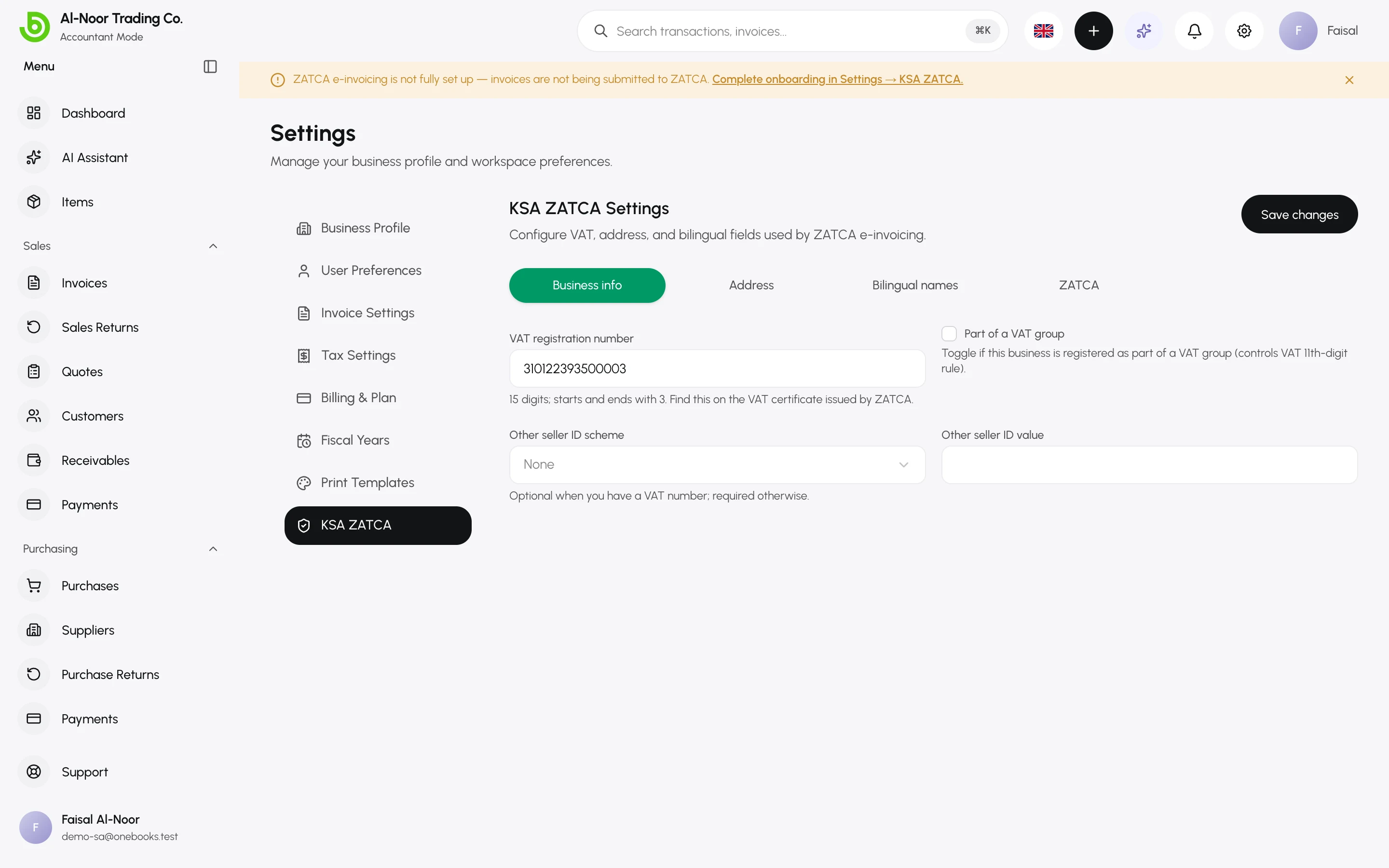
Section titled “1. Complete the KSA settings”- Open Settings → KSA ZATCA.
- Business info — enter your 15-digit VAT registration number (it starts and ends with 3), tick Part of a VAT group if applicable, and add another seller ID (CRN, MOM, MLS, 700, SAG or OTH) if you have no VAT number.
- Enter the national address: street, building number (4 digits), district, city, postal zone (5 digits) and region, or the short address code.
- Bilingual names — the Arabic business and legal names printed on invoices.
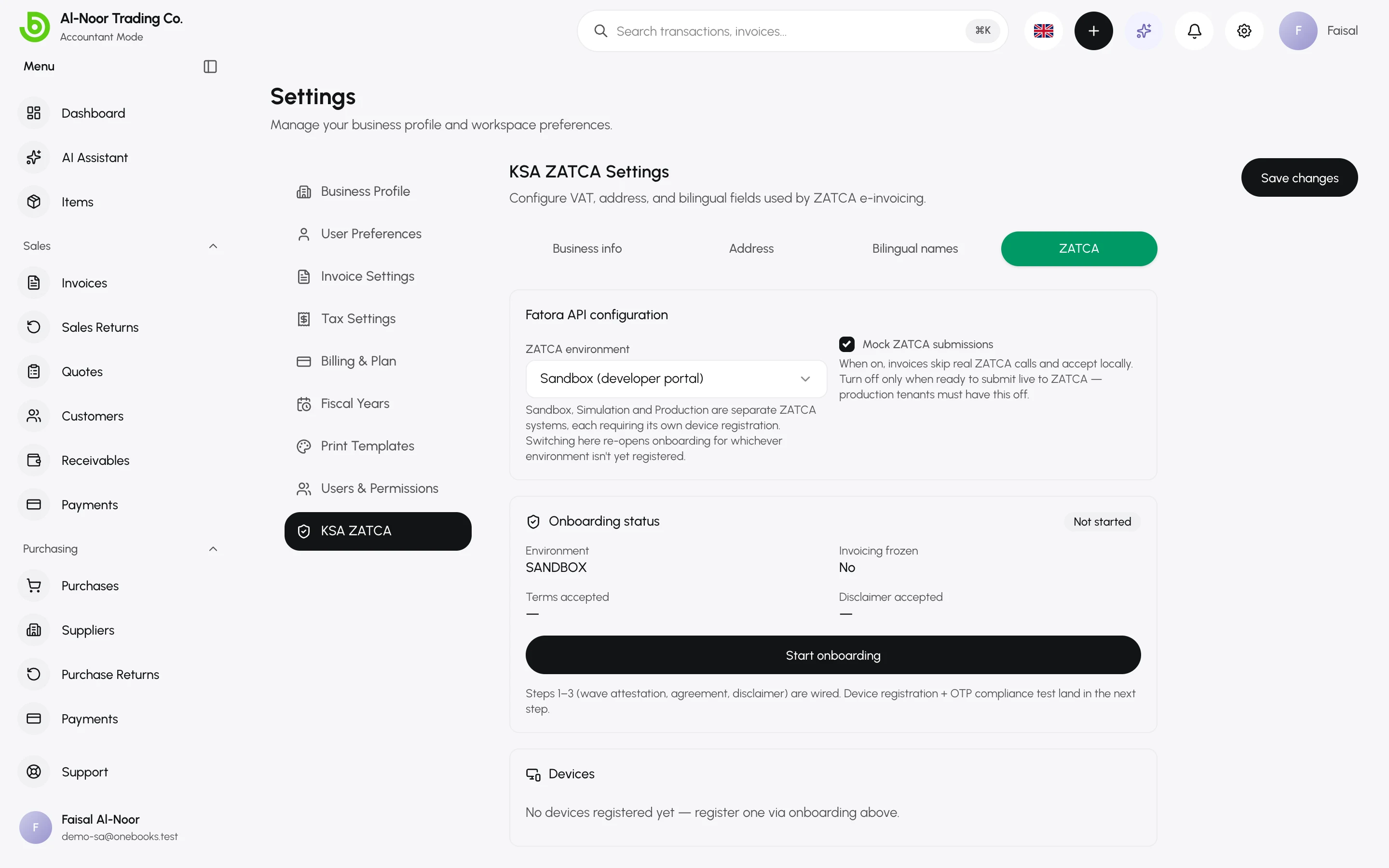
- ZATCA — choose the environment (Sandbox, Simulation or Production). Keep Mock ZATCA submissions on while testing and switch it off before going live.
- Select Save changes.
2. Run the onboarding wizard
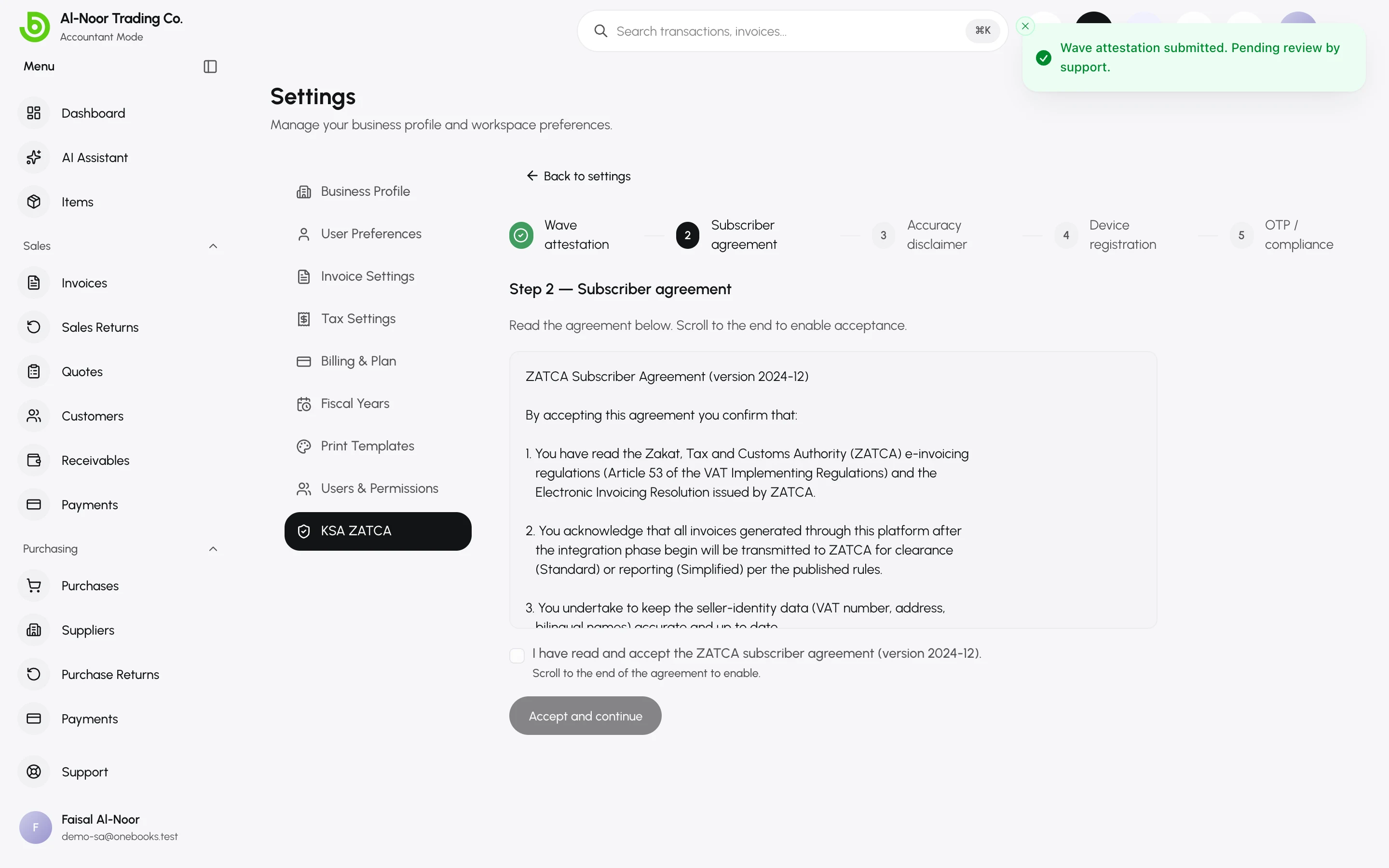
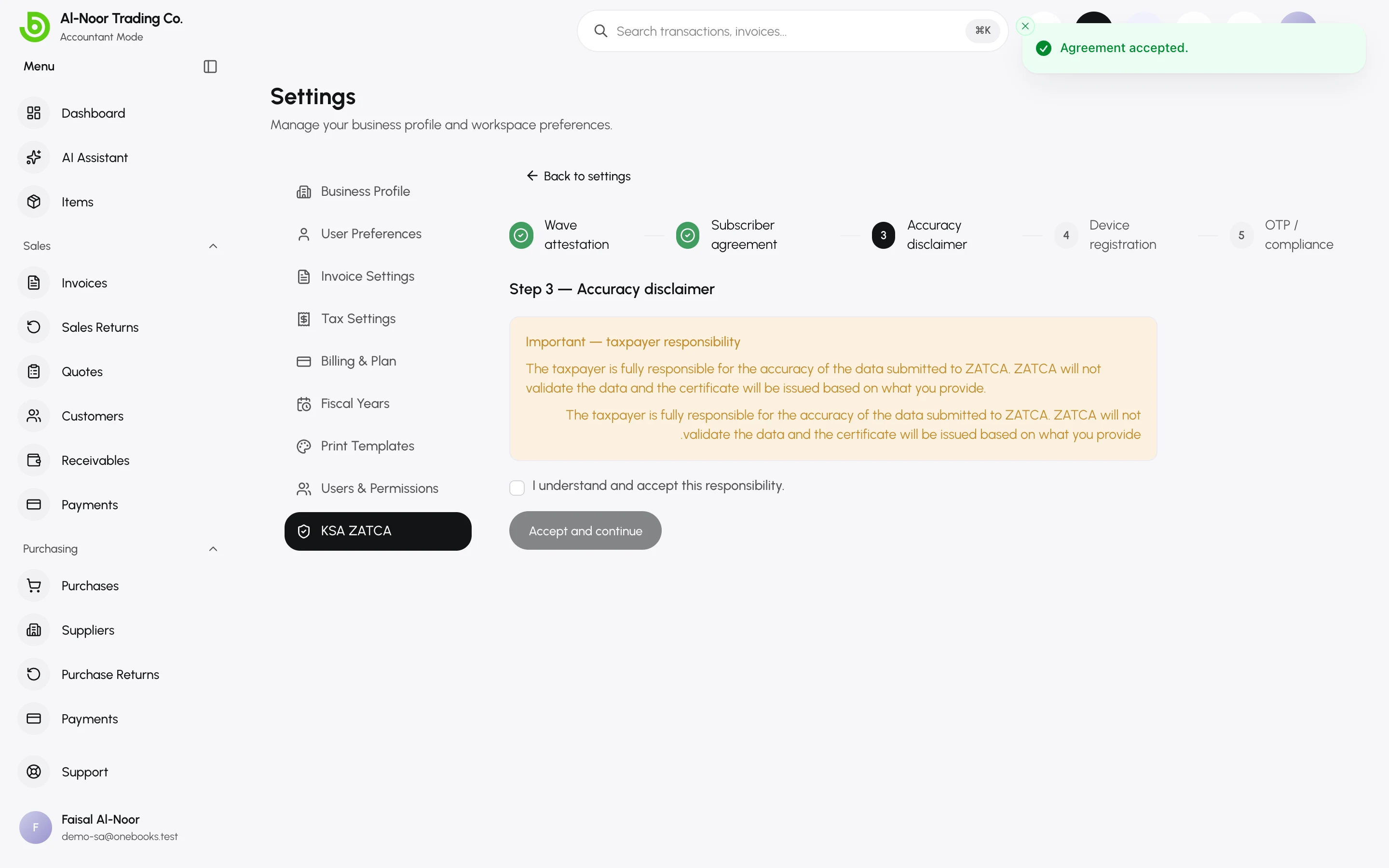
Section titled “2. Run the onboarding wizard”ZATCA requires each business to register a device (an “EGS unit”) and pass a compliance test before issuing live e-invoices. The wizard on the ZATCA tab walks through the five steps; each environment (sandbox, simulation, production) is onboarded separately.
- Wave attestation — enter the wave reference from ZATCA’s notification and optionally upload the PDF. Support reviews it.
- Subscriber agreement — read to the end and accept.
- Accuracy disclaimer — confirm your seller data is correct.
- Device registration — OneBooks generates the device’s key pair and a Certificate Signing Request (CSR) for you.
- OTP and compliance test — generate a one-time password on the Fatoora portal for this business, enter it, and OneBooks obtains the compliance certificate, submits the six sample invoices ZATCA requires, and on a full pass requests the production certificate.
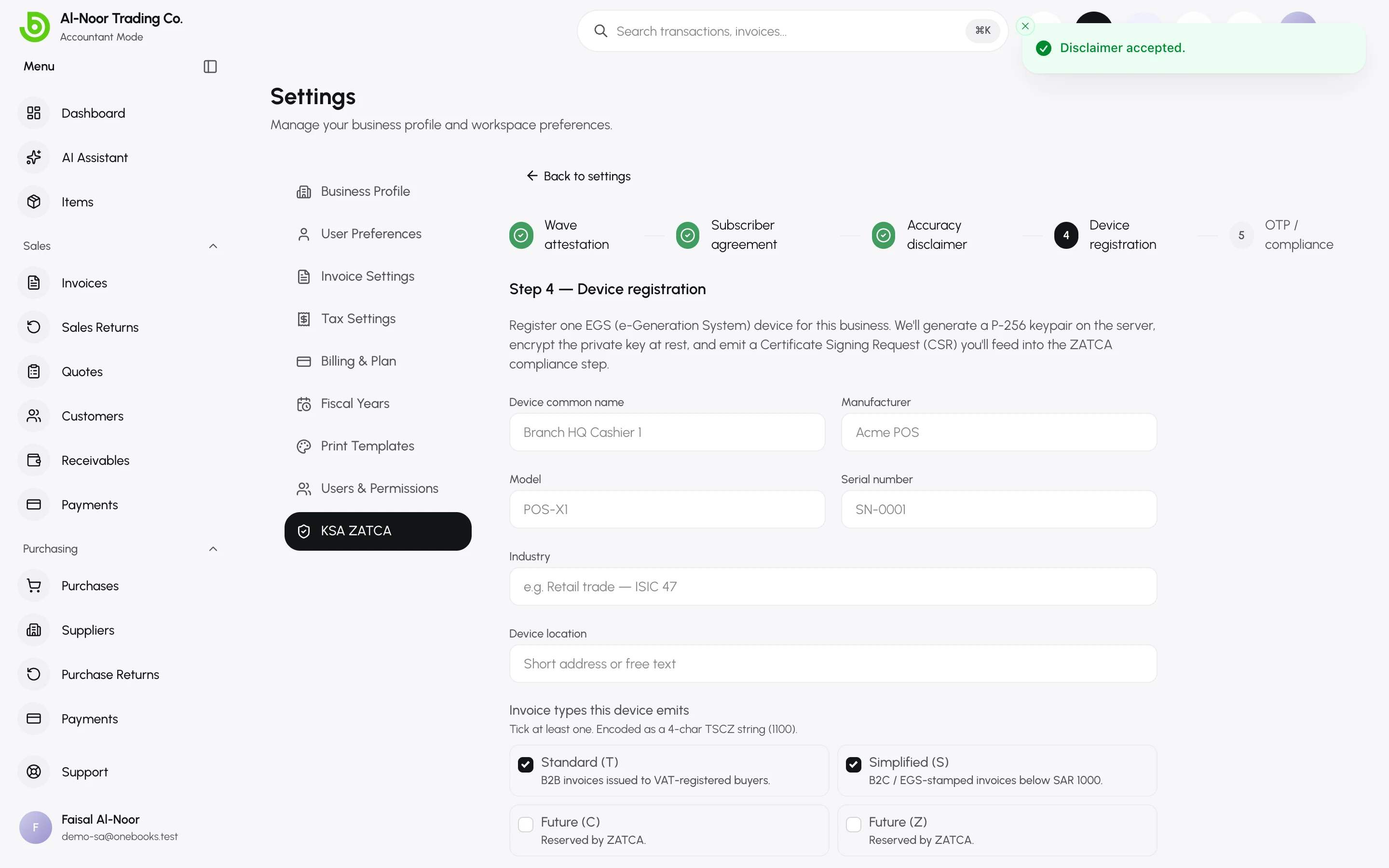
Certificates expire; renew them from Settings → KSA ZATCA → Devices with Renew CSID before the expiry date shown.
3. Issue e-invoices
Section titled “3. Issue e-invoices”Nothing changes in your daily work — create and send invoices as usual. When you send, OneBooks builds the UBL XML, signs it, assigns the invoice counter and hash chain, generates the QR code and queues the submission:
- Standard tax invoice (customer has a VAT registration number) → submitted for clearance; the PDF carries ZATCA’s own QR once cleared.
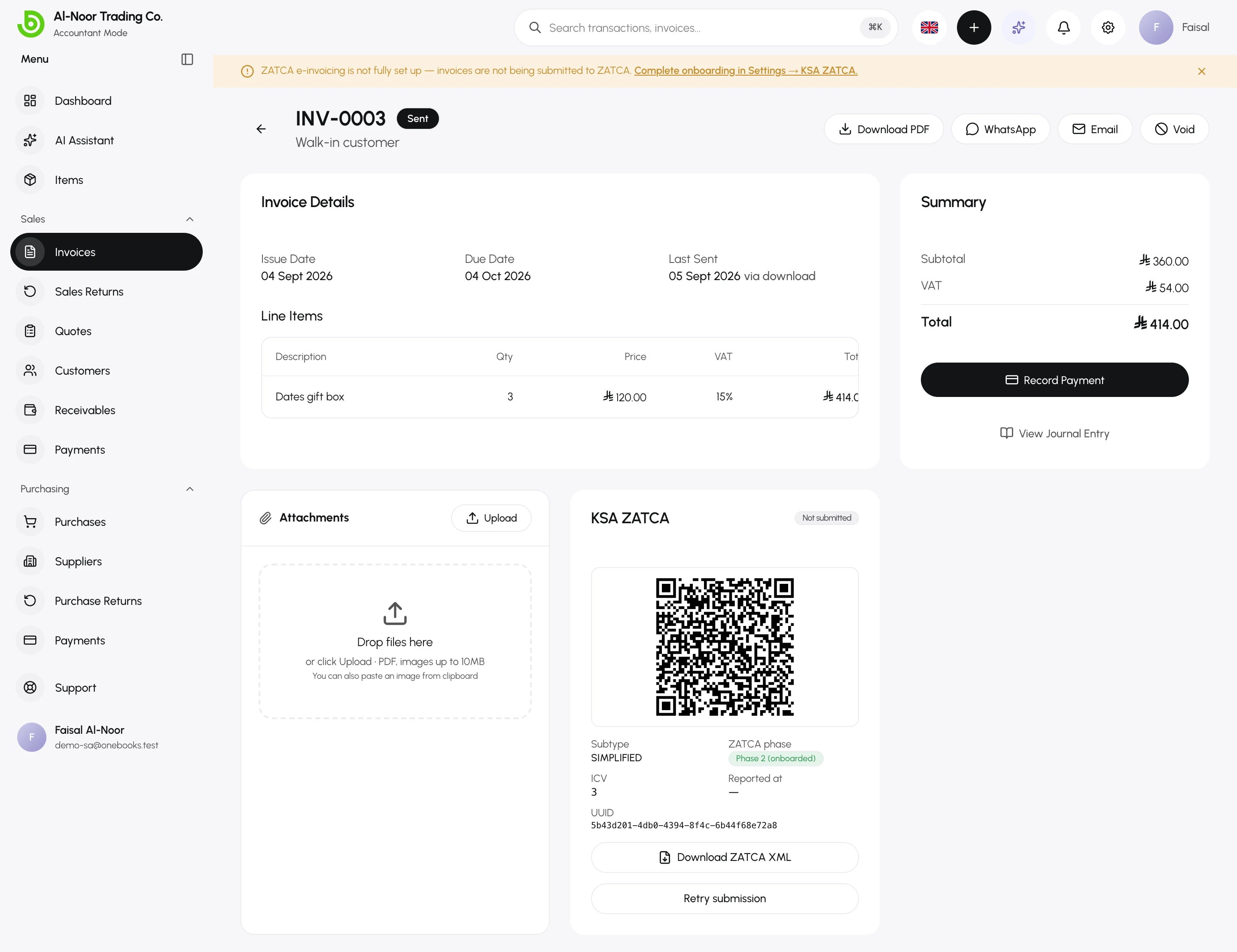
- Simplified tax invoice (walk-in or unregistered customer) → reported to ZATCA within 24 hours.
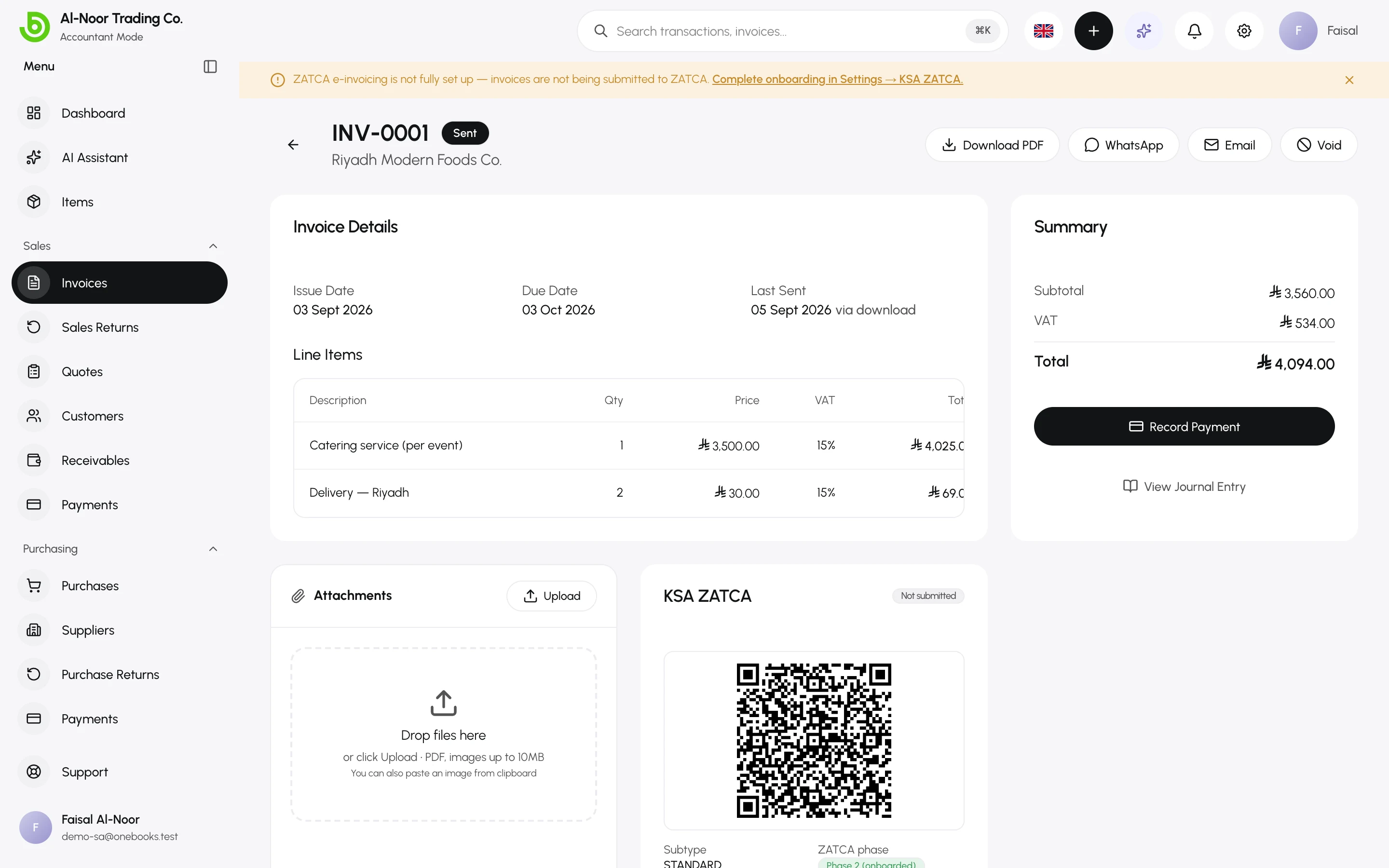
The KSA ZATCA card on the invoice shows the subtype, invoice counter (ICV), UUID and status: Pending, Submitting, Cleared, Reported, With warnings, Rejected or Failed. Submission runs in the background and retries transient errors automatically. Download ZATCA XML gives the signed document for the customer.
4. Credit notes
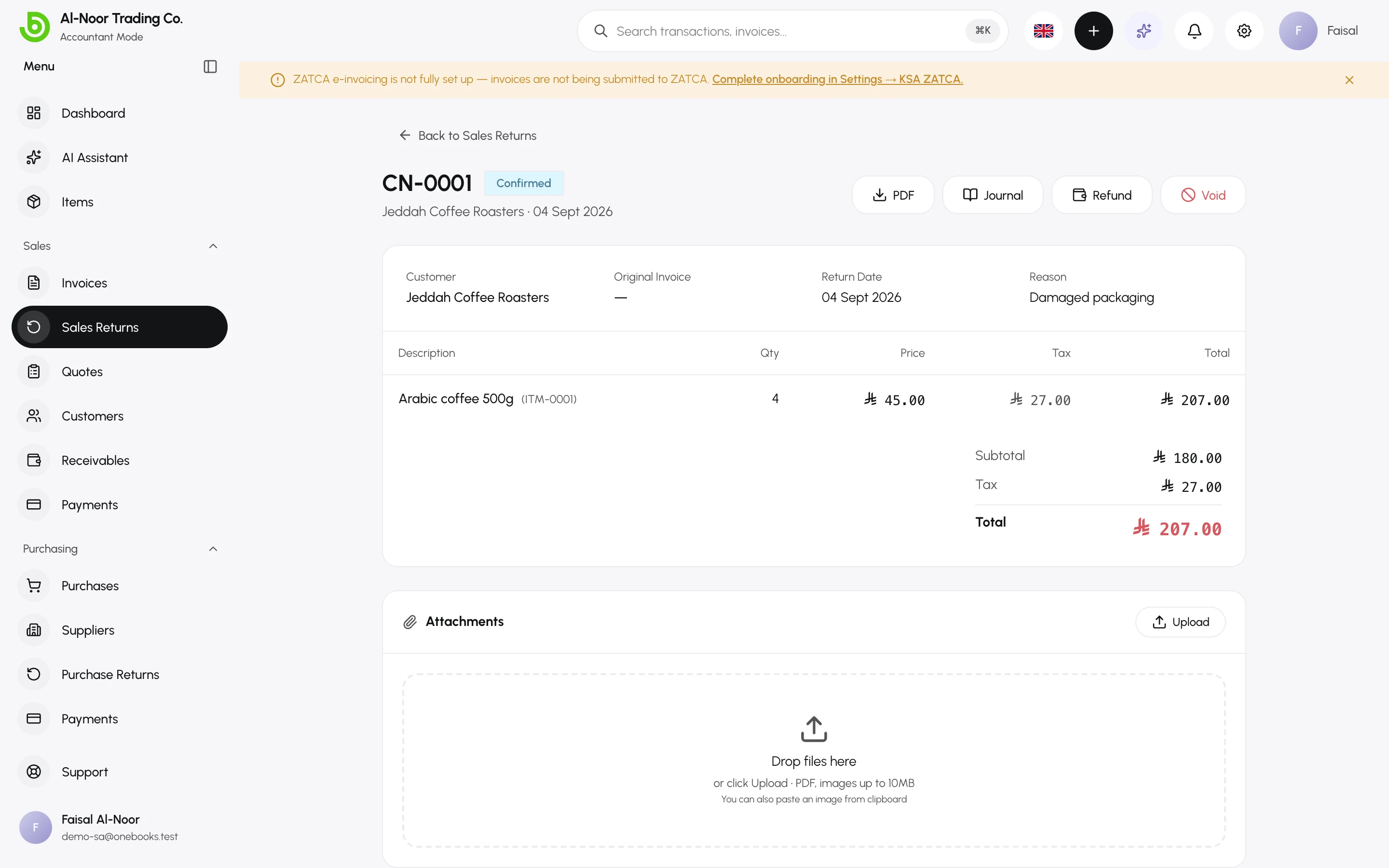
Section titled “4. Credit notes”A credit note must reference the original invoice and is submitted the same way when you confirm it. Invoices that ZATCA has cleared or reported cannot be voided — issue a credit note instead. See Sales returns and credit notes.
5. Monitor submissions
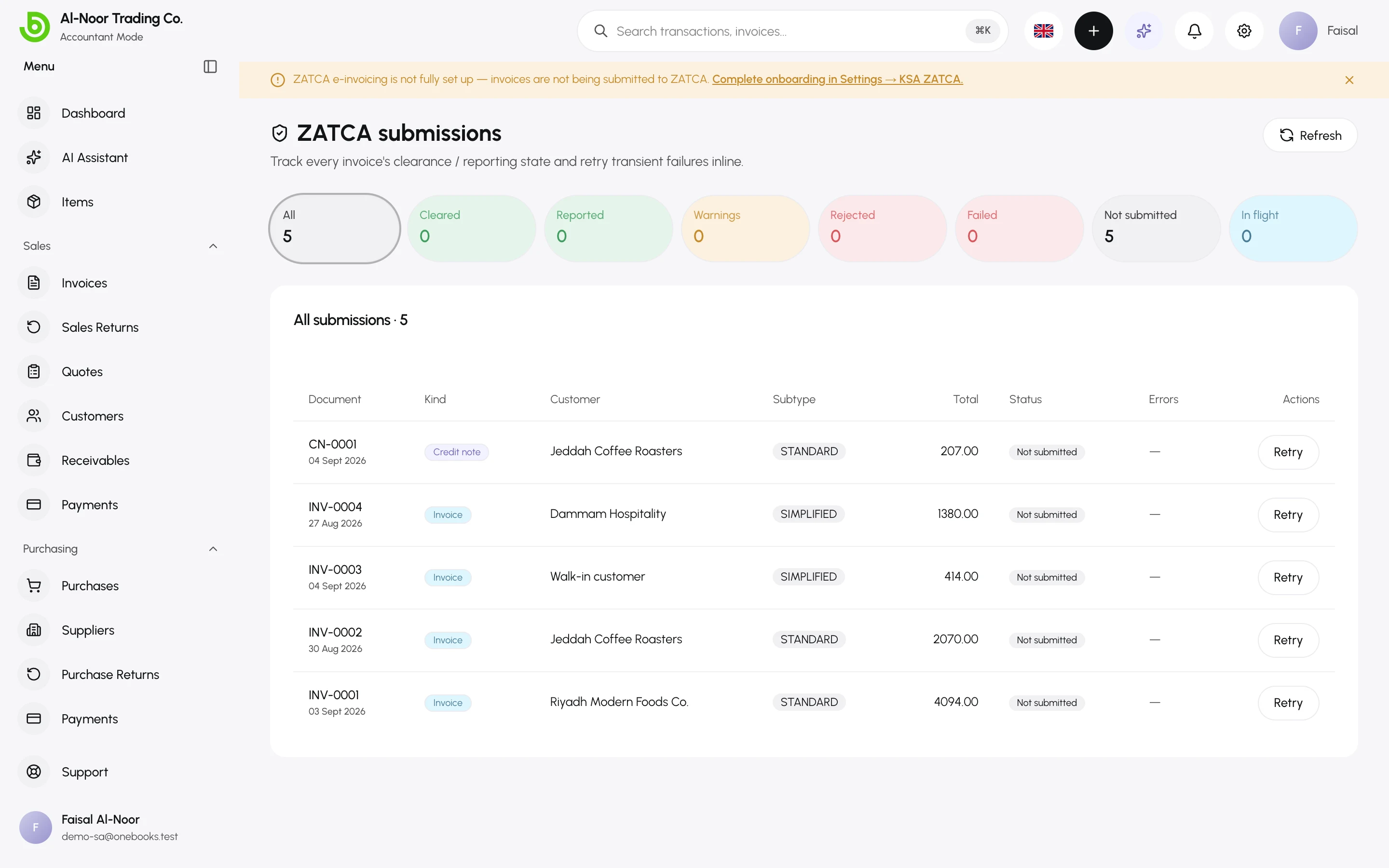
Section titled “5. Monitor submissions”ZATCA in the sidebar opens the submissions dashboard: every invoice and credit note by state, with Retry for failed submissions and the error details ZATCA returned. Rejections name the rule (for example a BR-KSA code) so you can fix the data and resubmit.
Going live checklist
Section titled “Going live checklist”- Production environment onboarded (production certificate issued).
- Mock ZATCA submissions switched off.
- VAT number, address and Arabic names verified on a test invoice PDF.
- Customers who need standard invoices have their VAT number and address filled in.