

Transfers between cash and bank
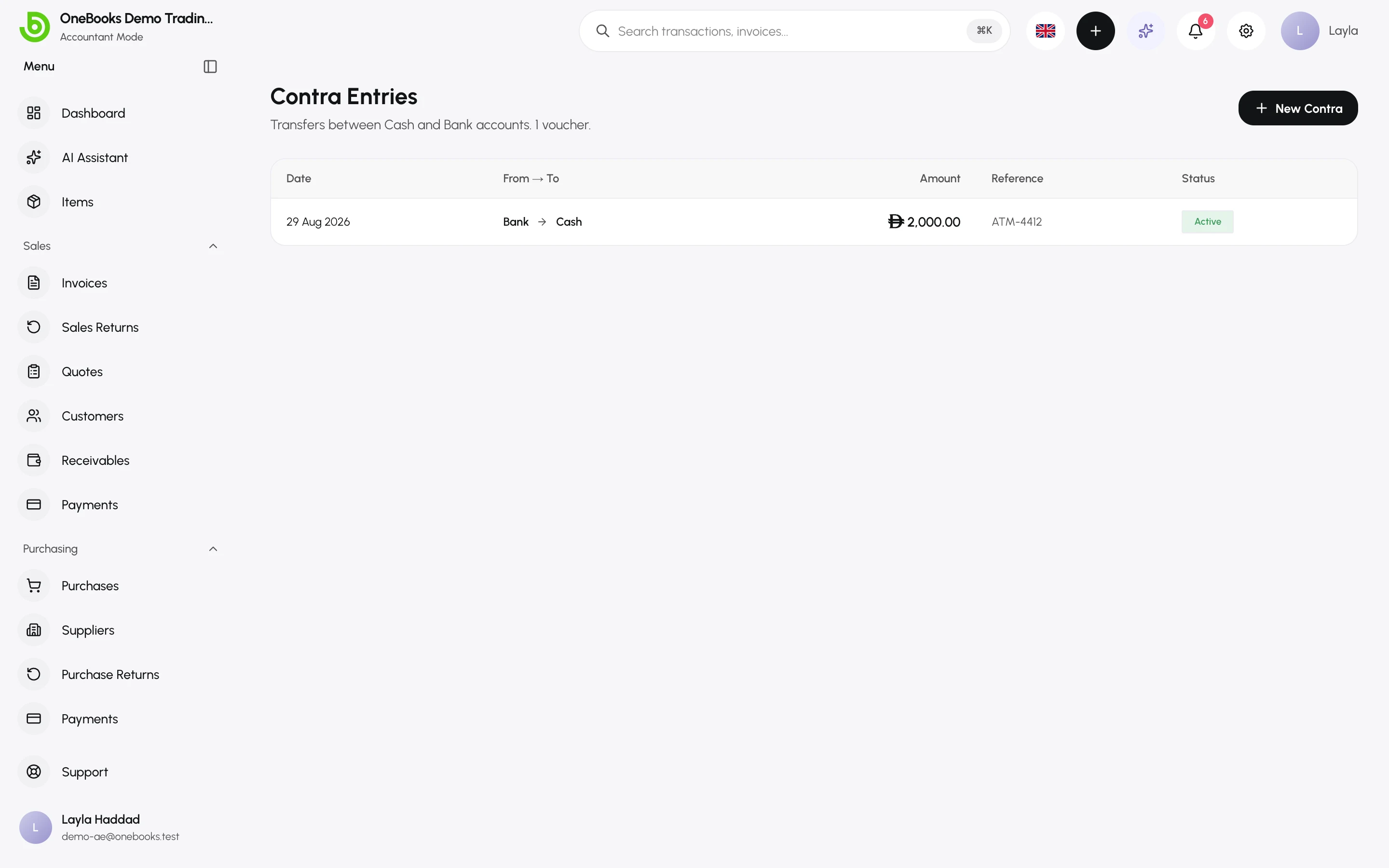
A contra entry moves money between two of your own cash or bank accounts — an ATM withdrawal for petty cash, depositing the till into the bank, or a transfer between two bank accounts. It is not income or expense, so it never touches the profit and loss.
Record a transfer
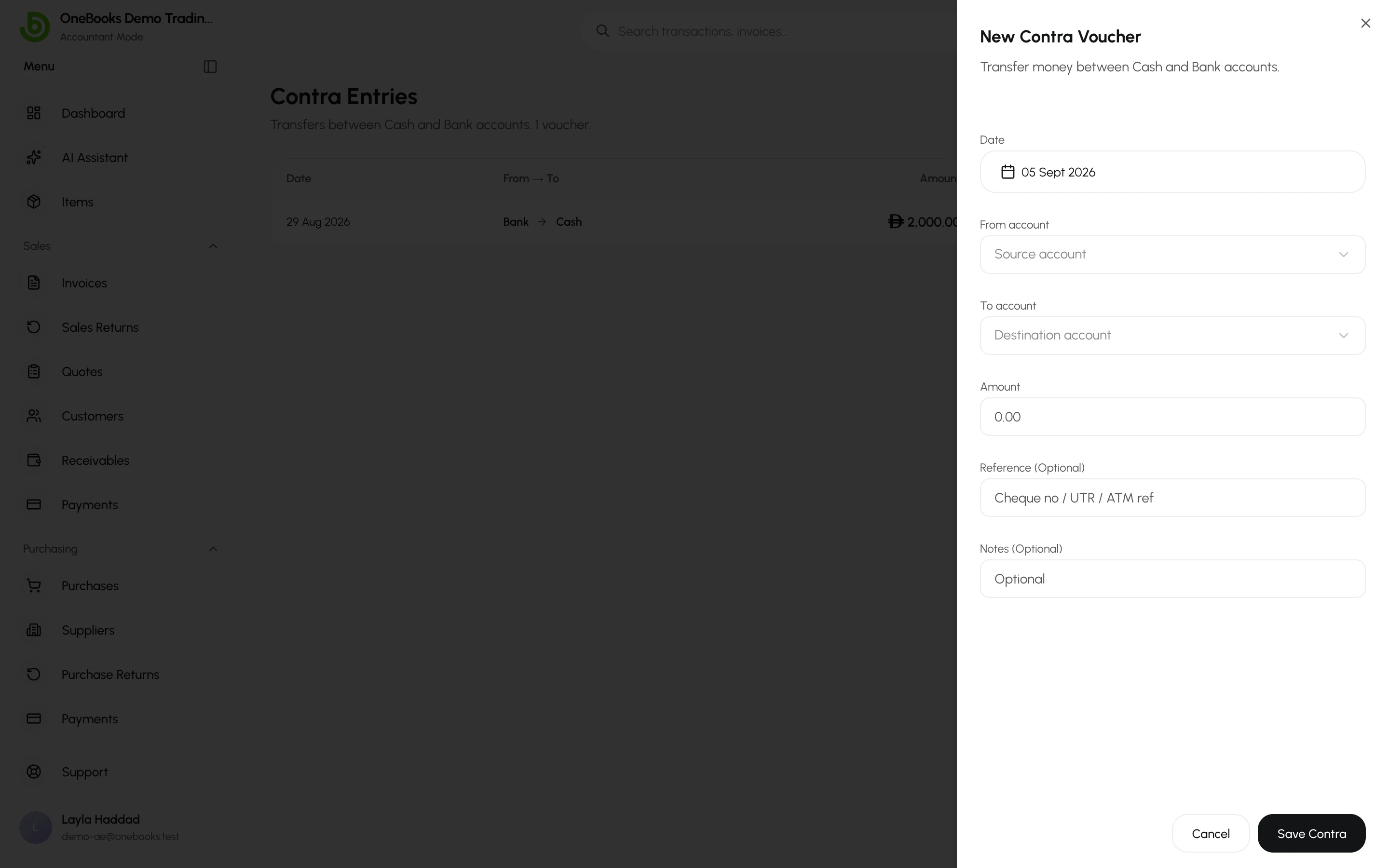
Section titled “Record a transfer”- Switch to Accountant mode and open Accounting → Contra, then select New Contra.
- Choose the from account and the to account — only cash and bank accounts are offered.
- Enter the amount, the date, a reference (ATM slip, transfer ID) and notes.
- Select Save.
Void a transfer
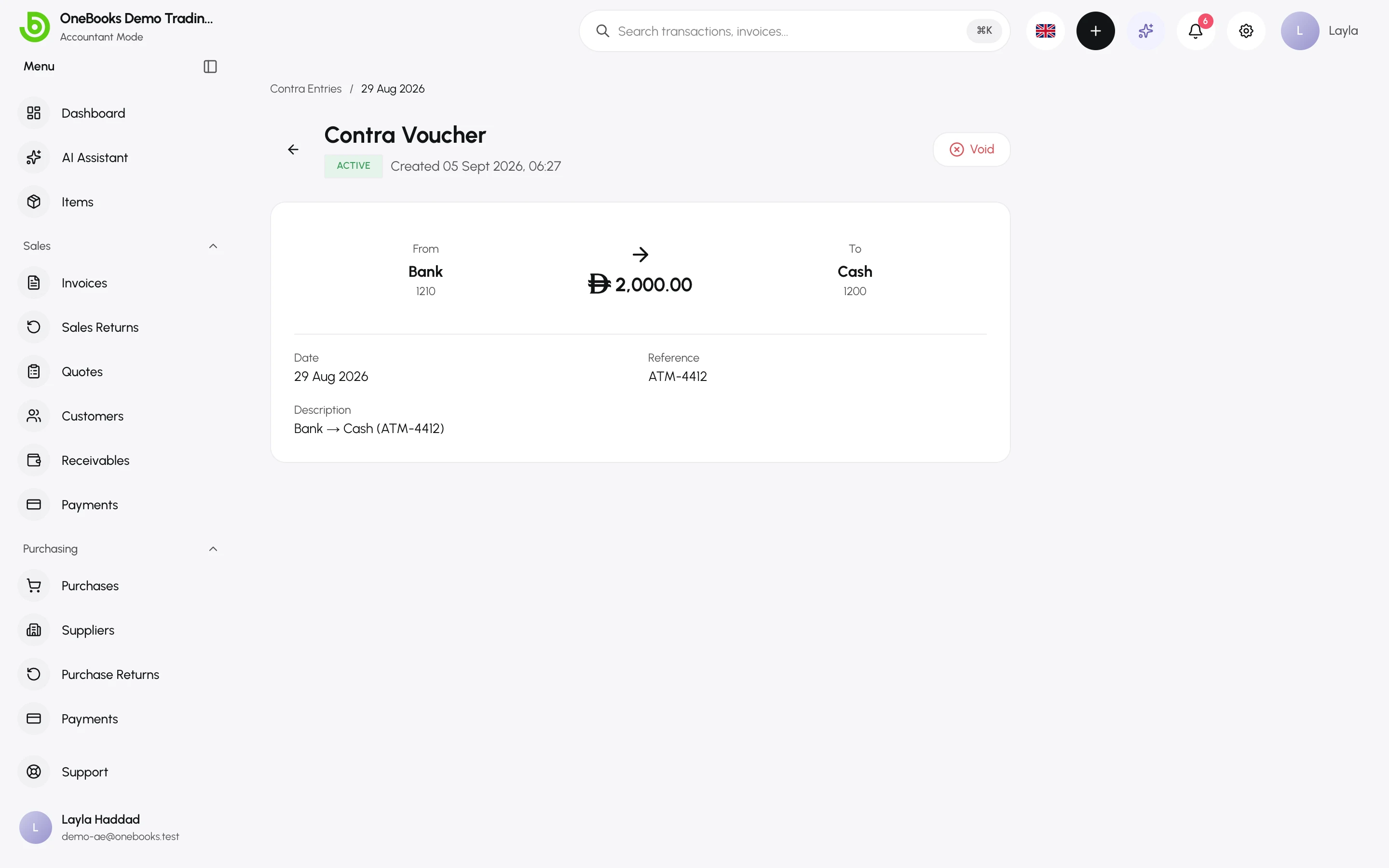
Section titled “Void a transfer”Open the entry and select Void. A reversing entry is posted; the voucher stays visible with status Voided.
Related
Section titled “Related”Bank reconciliationMatch the transfer on both statements.