

An expense is money that has already left your cash box or bank account for a business cost: rent, fuel, subscriptions, small supplies. It posts straight to an expense account on the date you enter. Bills you pay later belong in Purchases.
Record an expense
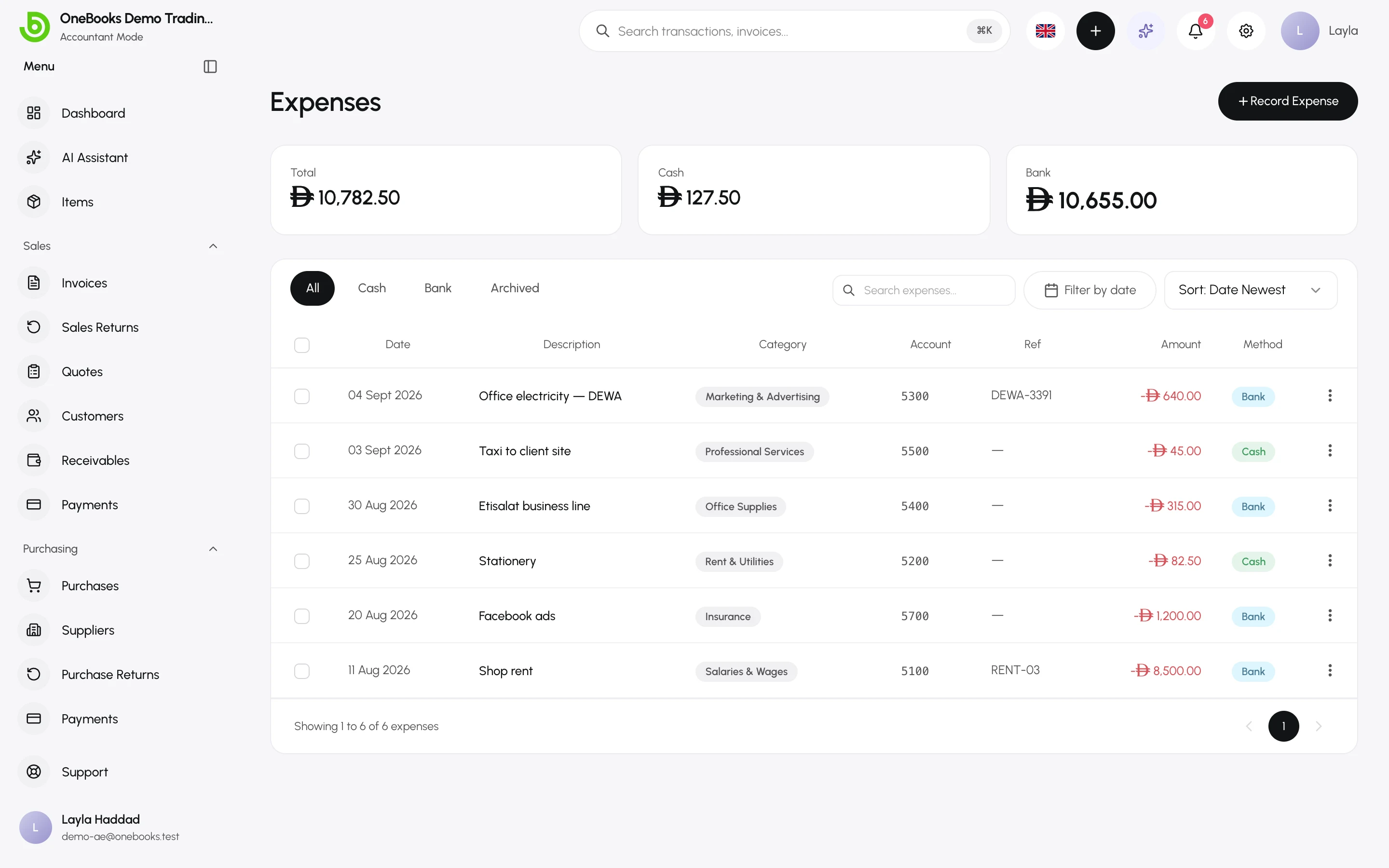
Section titled “Record an expense”- Open Expenses and select Record Expense (called Add Expense in Simple mode), or use Quick Create → Expense.
- Set the date and a description of what the money was for.
- Enter the amount (tax-inclusive — expenses carry no separate tax line).
- Choose the category — the expense account, for example Rent & Utilities or Travel & Transportation. See Expense accounts.
- Choose the payment method: Cash or Bank Transfer, and the cash or bank account the money left.
- Add a reference (receipt number) and select Save Expense.
The list
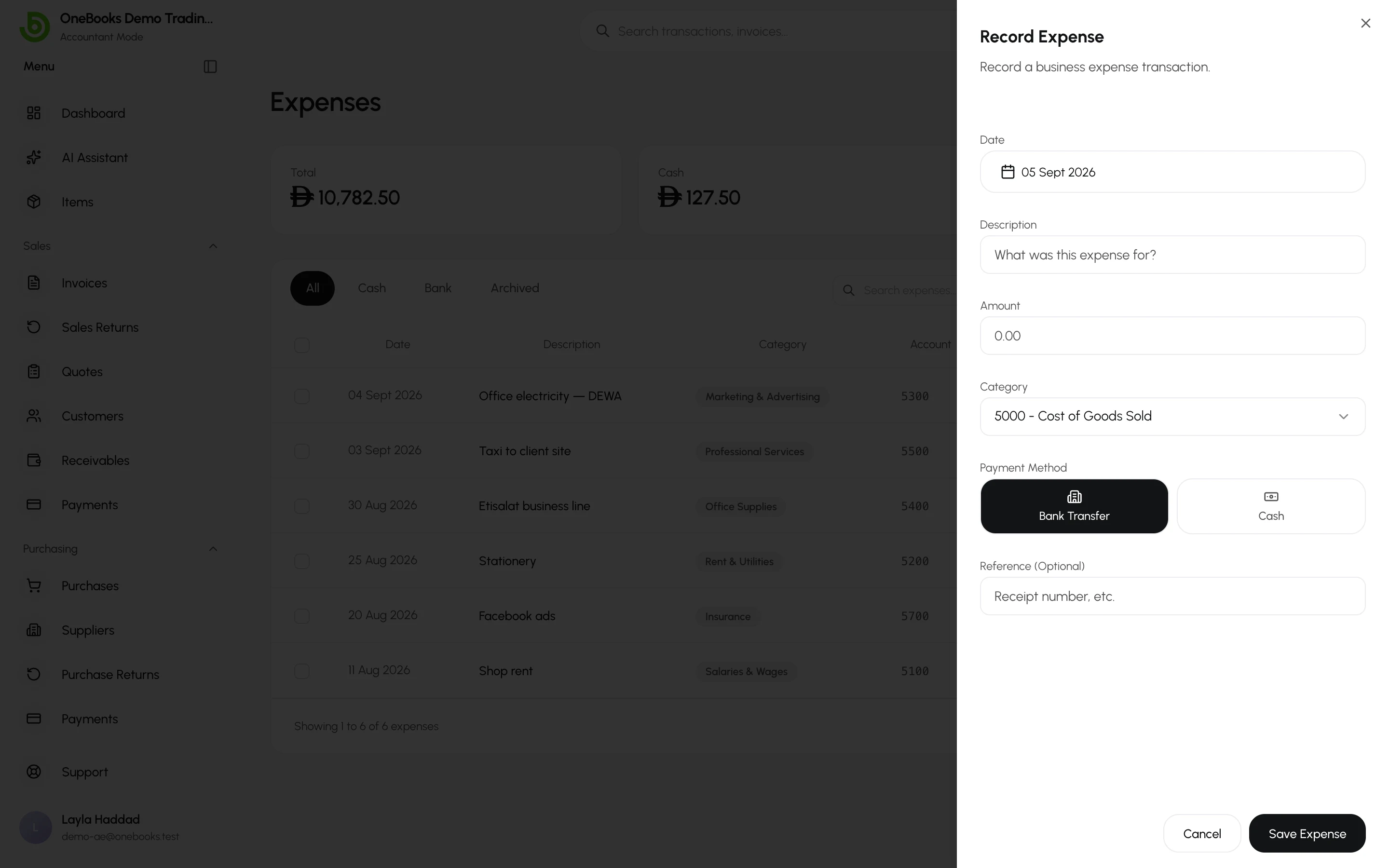
Section titled “The list”Switch between All, Cash, Bank and Archived. Each row shows the category, method and reference. Open an expense to see its detail and, in Accountant mode, the journal entry it posted.
Expenses and tax
Section titled “Expenses and tax”Expenses do not split out VAT or GST. If you need input tax on a receipt to appear on your tax return, record it as a purchase with a tax line instead — that is what the tax reports read.
Faster ways to record expenses
Section titled “Faster ways to record expenses”- Photograph the receipt in the AI assistant: it reads the date, supplier, amounts and tax and proposes the document for you to confirm — Receipt photos.
- Bank reconciliation can create an expense straight from an unmatched statement line — Bank reconciliation.